OnlyFans Profile Picture Download Tool
View and save full-size OnlyFans PFPs and profile images you can access
Use this guide to download OnlyFans profile pictures in full size, view OnlyFans PFPs, and save profile images you can legally access for personal offline use.
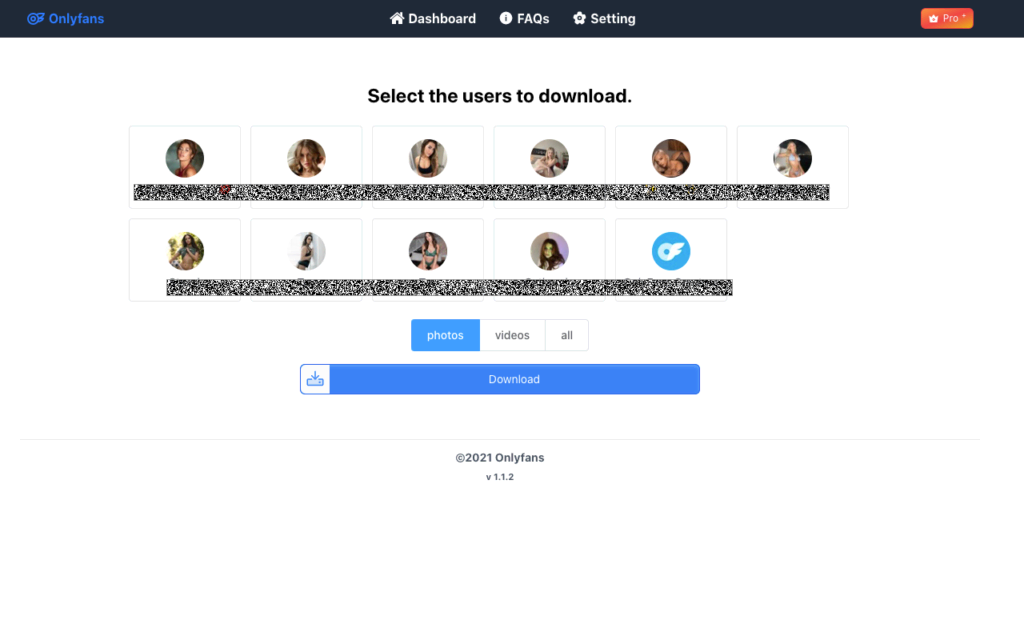
OnlyFans Profile Picture Downloader interface screenshot
How to Download OnlyFans Profile Pictures
The OnlyFans profile picture download flow helps you save profile images that are visible in your browser. It is meant for personal offline organization, not for reposting, resale, or accessing images hidden by privacy settings.
Download OnlyFans profile pictures you can access and view in your browser
Check whether a larger PFP or header image is available from the visible page
Save profile and header images for personal offline organization
Avoid tools that ask for your OnlyFans password outside the platform
Respect creator rights and platform terms when saving images
How to Download OnlyFans Profile Pictures
A simple workflow for profile images you can already view
Install the Extension
Add our OnlyFans downloader extension to your Chrome, Firefox, or Edge browser. The installation takes less than 30 seconds.
Compatible with all major browsers and regularly updated for optimal performance.
Navigate to Profile
Visit an OnlyFans profile page where the profile picture or header image is visible to your account. The extension can only work with images your browser can access.
This includes public profile images and profile images available through your account access. It does not unlock hidden private content.
Download Image
Click the download button that appears next to the profile picture. The full-resolution image will be saved to your device instantly.
Images are downloaded in their original format (usually JPEG or PNG) with no quality loss.
Step-by-step profile picture download process
OnlyFans PFP Viewer: What You Can and Cannot See
The tool works with accessible profile images, not hidden or private media
High-Quality Downloads
Download profile pictures in their original resolution and quality, not compressed thumbnails.
Secure & Private
All downloads are processed locally in your browser. No data is sent to external servers.
Instant Access
Get immediate access to full-size profile pictures with a single click.
Access-Based Compatibility
Works with profile images you can access and view in your browser. It does not override privacy settings or subscription requirements.
Mobile Friendly
Use on mobile browsers for downloading profile pictures on phones and tablets.
Always Updated
Regular updates ensure compatibility with OnlyFans platform changes.
Why Choose Our Profile Picture Downloader?
Compare our tool with other methods
| Method | Quality | Speed | Ease | Safety | Cost |
|---|---|---|---|---|---|
| Our Downloader | Full Resolution | Instant | One Click | 100% Secure | Free |
| Screenshot | Low Quality | Manual | Multiple Steps | Safe | Free |
| Right-Click Save | Thumbnail Only | Fast | Easy | Safe | Free |
| Third-Party Apps | Variable | Slow | Complex | Unknown | Often Paid |
Common Use Cases for Profile Picture Downloads
Why users download OnlyFans profile pictures
Content Organization
Organize your favorite creators by saving their OnlyFans profile pictures for easy identification in your personal collection using our OnlyFans profile picture downloader.
Offline Viewing
Save OnlyFans profile pictures for offline viewing when you don't have internet access with our reliable OnlyFans pfp downloader.
Quality Comparison
Compare the full-resolution OnlyFans profile pictures with the compressed versions shown on the platform using our OnlyFans profile picture downloader.
Archive Creation
Create personal archives of creator content, including their OnlyFans profile pictures and branding with our OnlyFans pfp downloader tool.
Research Purposes
Academic or professional research requiring high-quality OnlyFans profile pictures from social platforms using our OnlyFans profile picture downloader.
Profile picture downloader use cases
Troubleshooting Profile Picture Downloads
Solutions to frequently encountered problems
Download button not appearing
Refresh the page and ensure the extension is enabled. Check that you're on an actual OnlyFans profile page.
Low quality image downloaded
OnlyFans may expose a thumbnail instead of a larger image. Open the profile image where possible, refresh the page, and confirm the image is visible before downloading.
Extension not working
Update your browser and the extension to the latest versions. Clear browser cache if issues persist.
Can't access certain profiles
Some profiles may require subscription access. Ensure you're logged in and have appropriate access permissions.
Download fails repeatedly
Check your internet connection and browser permissions. Disable other extensions that might interfere.
Safety, Privacy, and Creator Rights
Important information about using profile picture downloaders
Works with profile images you can access and view in your browser. Use saved images for personal offline organization only, and respect creator rights. Do not redistribute, sell, impersonate, or use downloaded images commercially.
- Only save profile or header images you can view through your own access
- Use saved images for personal offline organization only
- Do not redistribute, repost, sell, or impersonate creators
- Avoid tools that ask for your OnlyFans password outside OnlyFans
- Follow OnlyFans terms of service and applicable copyright rules
Your Privacy is Protected
Our extension processes all downloads locally in your browser. No personal data or downloaded content is transmitted to our servers or any third parties.
Frequently Asked Questions
Common questions about OnlyFans profile picture downloading
How do I download an OnlyFans profile picture?
Install the browser extension, open an OnlyFans profile image you can view, and use the download control when it appears. The tool works with images available to your browser.
Can I view an OnlyFans PFP in full size?
Sometimes. If OnlyFans exposes a larger profile image to your browser, the tool can help save it. If only a thumbnail is available, the downloaded image may remain low resolution.
Can I download OnlyFans header images?
Yes, when the header or banner image is visible to your account and available in the page. Use it only for personal offline organization.
Why is the downloaded profile picture low quality?
OnlyFans may serve compressed thumbnails on some profile views. Open the image directly if possible, refresh the page, or try the desktop browser version before saving.
Is it safe to use an OnlyFans PFP viewer?
Use tools from official sources only, avoid any service that asks for your OnlyFans password, and save only images you can already view in your browser.
Related OnlyFans Download Tools
Explore our complete suite of OnlyFans downloaders
OnlyFans Video Downloader
Download videos from OnlyFans in high quality
OnlyFans Live Stream Recorder
Record and save OnlyFans live streams
Bulk OnlyFans Downloader
Download multiple files at once
Start Downloading Profile Pictures Today
Save accessible OnlyFans PFPs and profile images for personal offline organization
Use the official extension to save profile images you can view. Respect creator rights and avoid tools that promise hidden private content.
Successful profile picture downloads gallery